AI/ML-powered recovery analysis for sports teams
Turn athlete data into clearer training decisions.
VitalForg brings session, morning wellness and testing records for a whole squad into one workspace. A machine-learning model learns your squad’s normal mornings and flags unusual patterns, and every flag shows why it was raised, with the records behind it.
The demo runs on a fictional sample dataset of 28 athletes over 12 weeks. No sign-up needed.
Setting up your organization? Create an account. Already using VitalForg? Sign in.
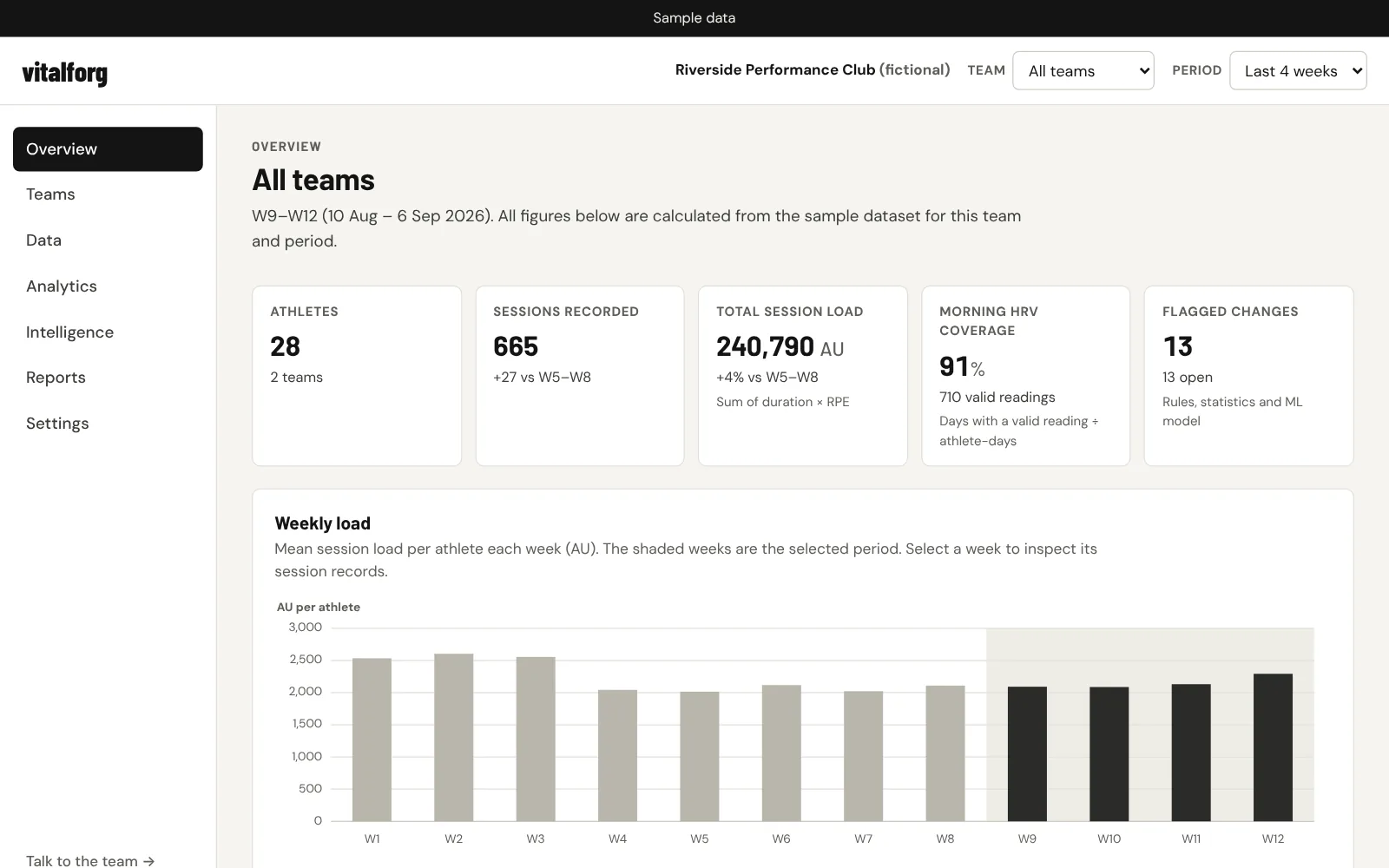
How it works
From records to a report your staff can check.
One connected workflow, using the same records on every screen.
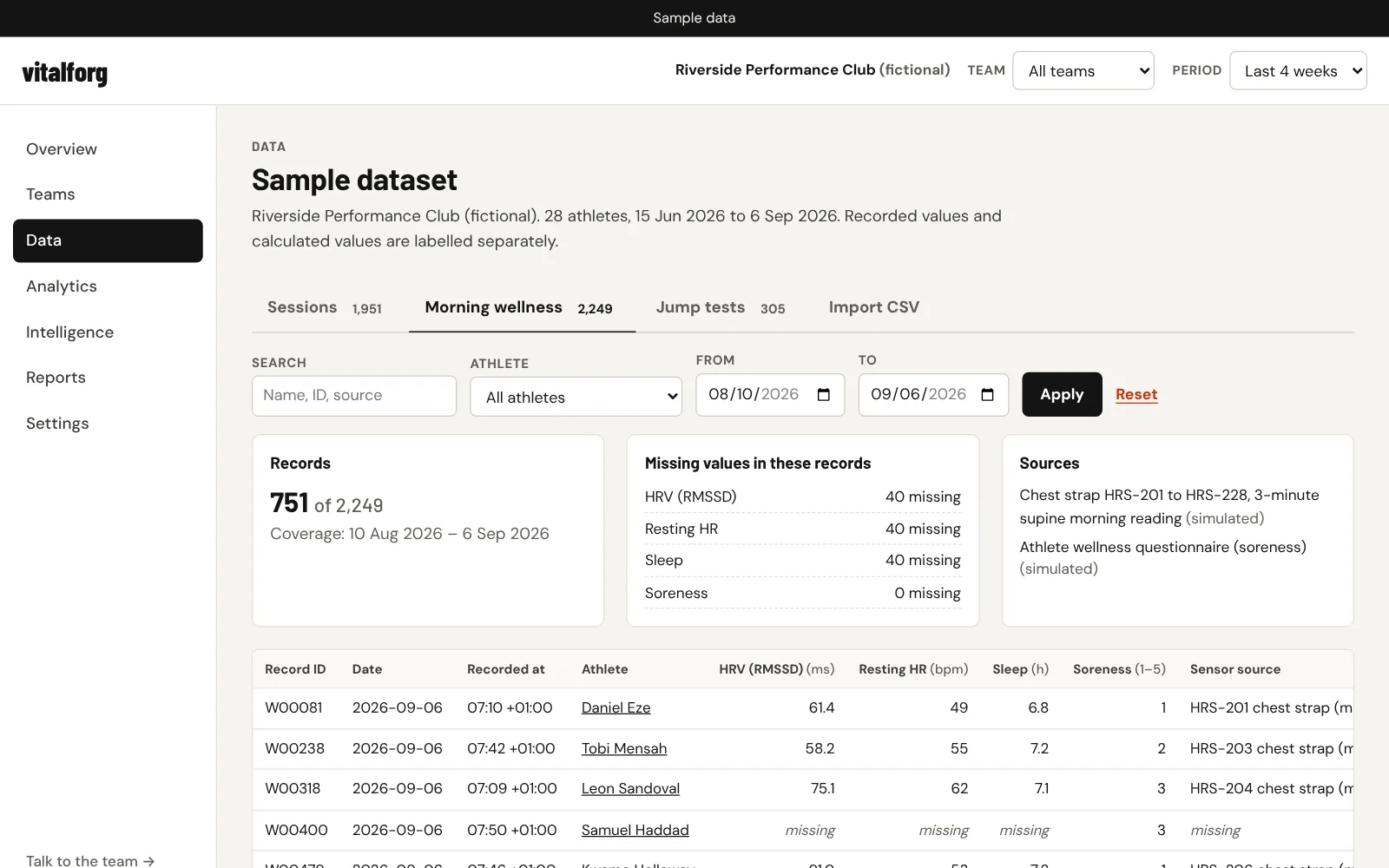
01 · DATA
Inspect the dataset before trusting it
See every session, morning wellness and jump-test record with its units, timestamp and source.
- Search and filter by team, athlete, date and session type
- Missing values, duplicates and implausible readings are counted and excluded
- Check a CSV file for errors before anything is added
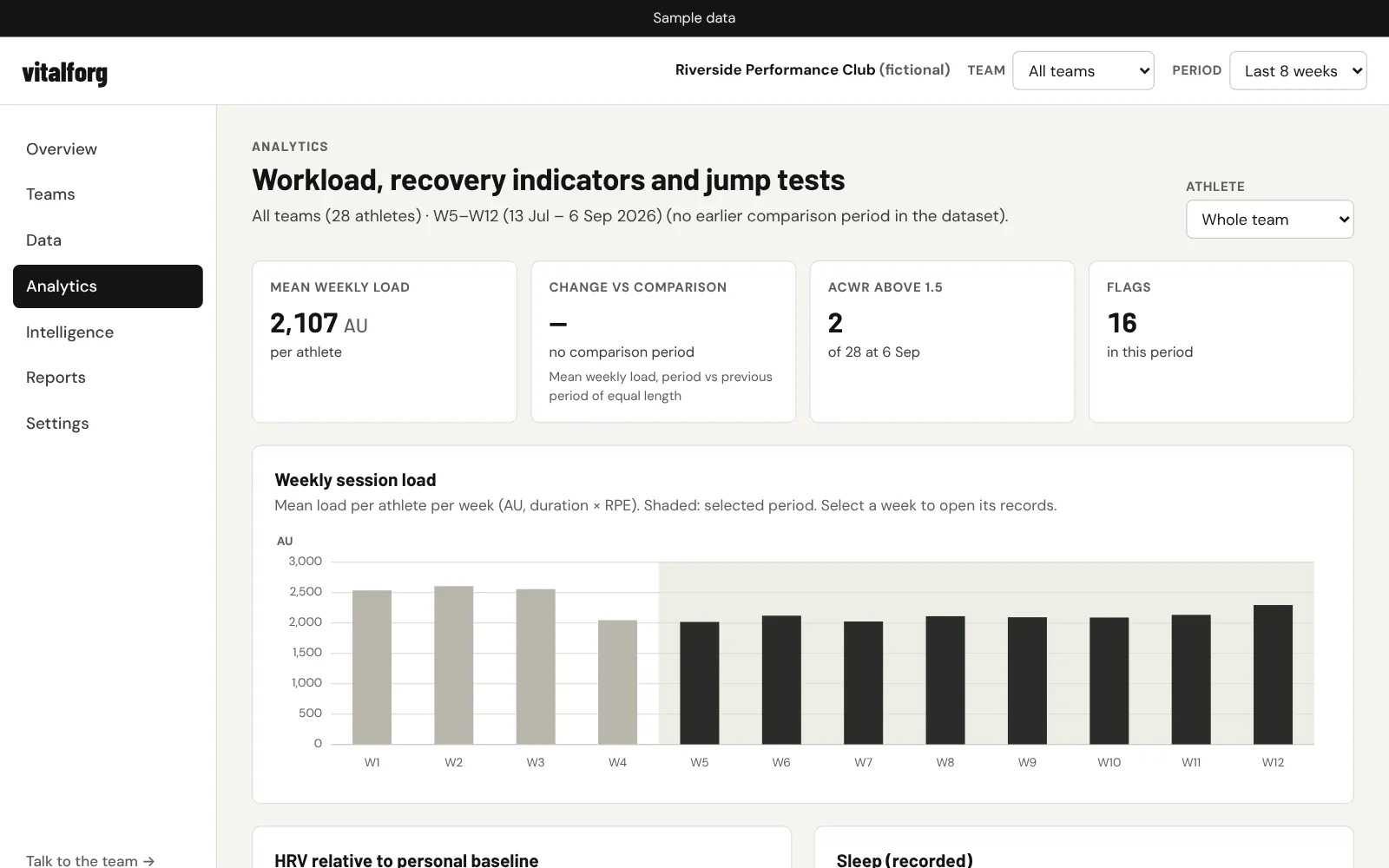
02 · ANALYTICS
Explore workload and recovery trends
Weekly session load, HRV relative to each athlete’s baseline, sleep and jump height for the period you choose, compared with the period before.
- Team and athlete views with clear axes, units and reporting periods
- Hover any week for the exact values
- Select a week to open the records behind it
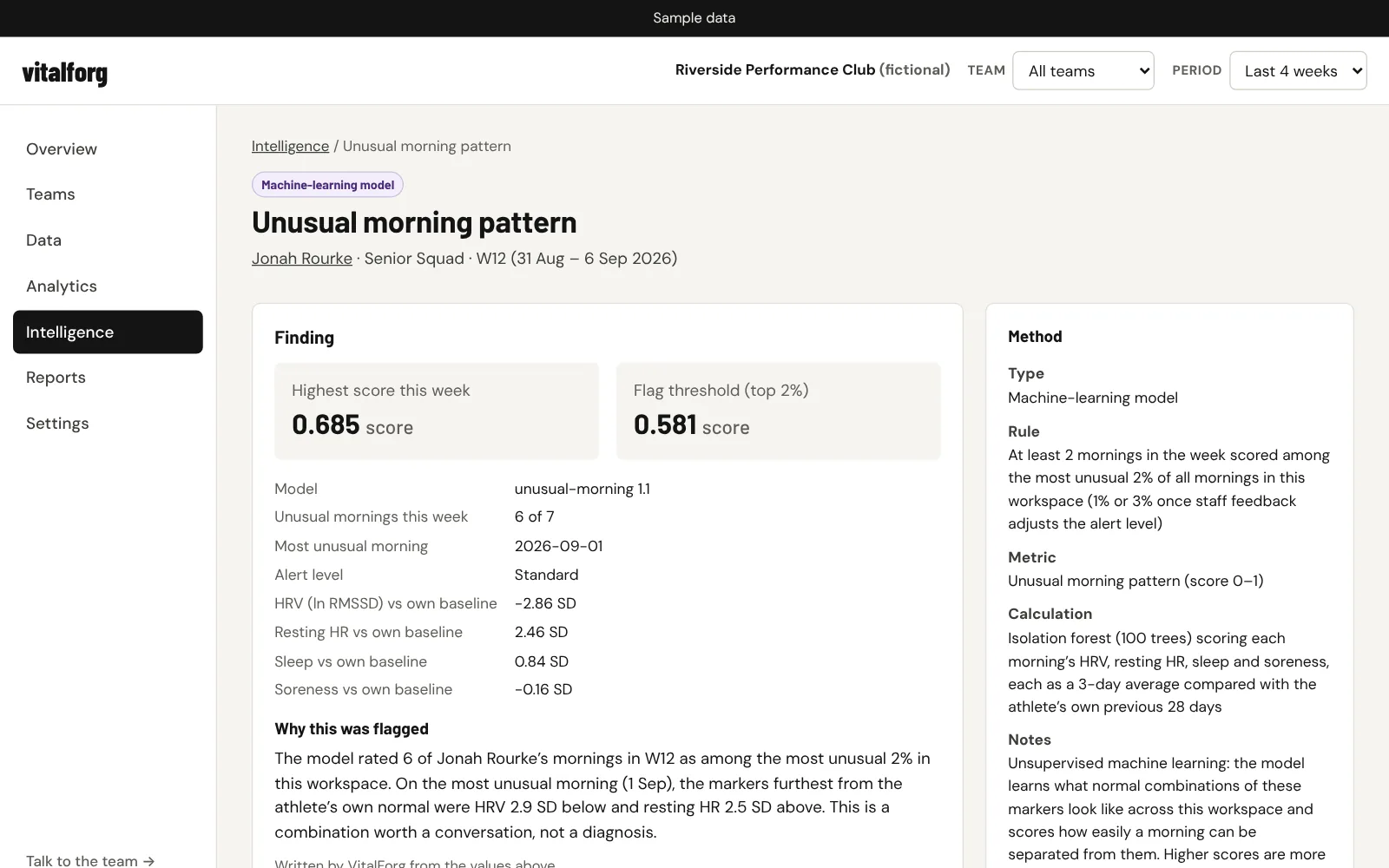
03 · FLAGGED CHANGES
Review a flag with its evidence
Each flag names the athlete, the metric, the analysis window, the baseline it was compared with, the exact rule and its limitations.
- Supporting records listed row by row
- Method labelled as a calculation, rule, statistical comparison, machine-learning model or data-quality check
- “Why this was flagged”: the finding, its supporting metrics and a plain-language explanation
- Mark a flag as reviewed, rate it useful or not, and add a note
04 · REPORTS
Generate a period report
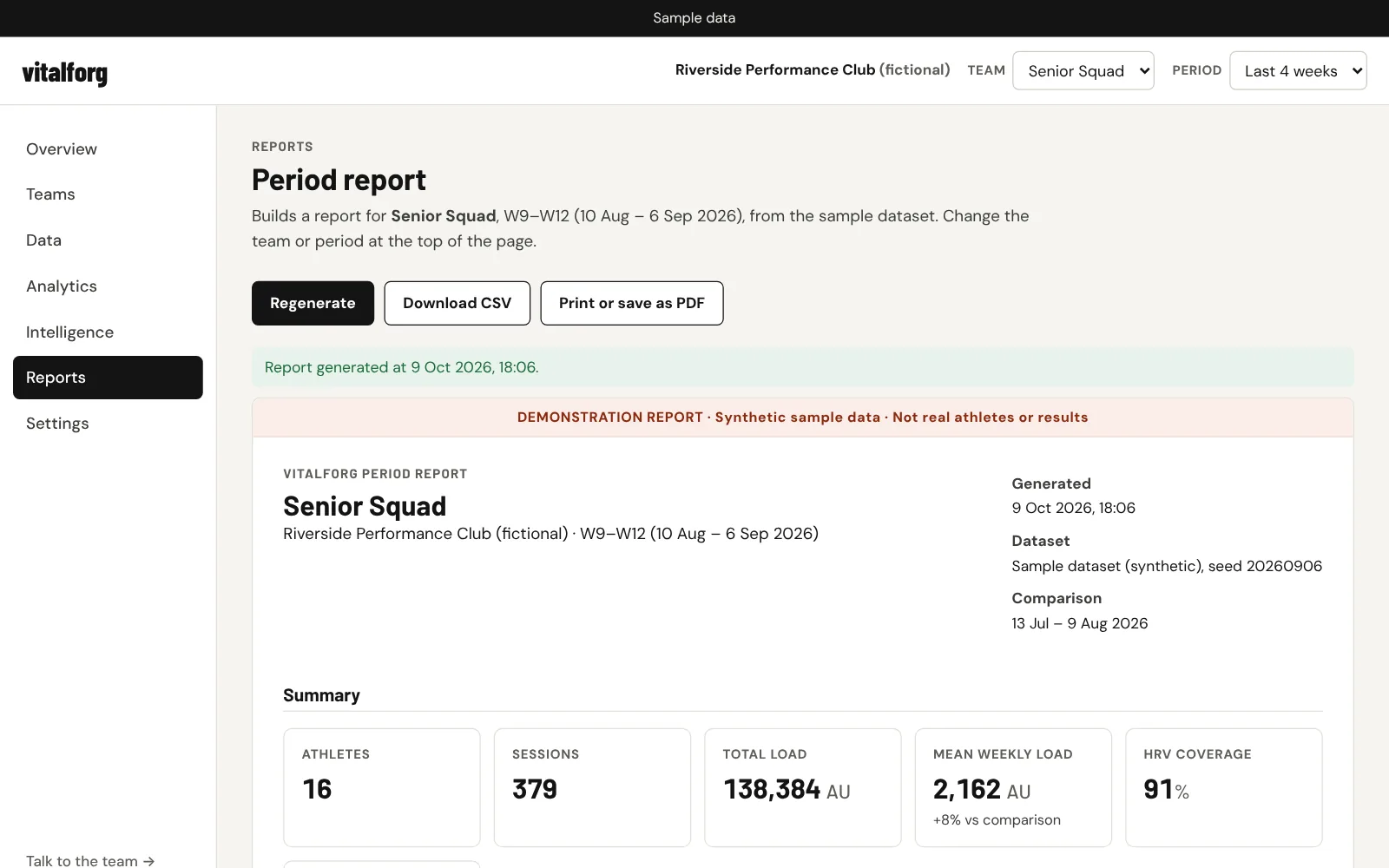
A report for the selected team and period with trends, flagged changes and review notes, metric definitions and a summary of the source data.
- Download the figures as CSV
- Print or save as PDF from your browser
Methods
Every number says how it was made.
VitalForg labels each output by method: calculations, fixed rules, statistical comparisons and a machine-learning model. It does not predict injuries or give medical advice.
Session load
duration (min) × RPE
Session-RPE method, in arbitrary units.
Load increase
ACWR > 1.5 and week +30%
Highlights rapid changes for staff review. Not an injury predictor.
HRV vs baseline
7-day ln(RMSSD) vs 28-day mean
Flags drops of more than 1 SD from the athlete’s own normal range.
Coverage
valid readings ÷ days
Warns when data is too sparse for a reliable comparison.
Unusual morning pattern
isolation forest, 4 markers
Detects unusual recovery patterns across HRV, resting heart rate, sleep and soreness.
Who it is for
Built for the staff who manage squad data.
Professional teams
Roster-wide load and recovery indicators in one place.
Performance facilities
A single view across athletes, sessions and tests.
Sports science teams
Transparent calculations you can check against the raw records.
Academies
Track adult development groups (18 and over) alongside first-team squads.
Pricing
Plans for performance organizations.
Fixed monthly prices in US dollars.
For organizations managing athlete and biometric data at a single location.
- Athlete performance tracking
- Workload and recovery analysis
- Staff roles and access controls
- Data import API
For organizations running several facilities, each with its own workspace.
- Staff roles and access controls
- Data import API
For large sports organizations that need organization-level controls and reporting.
- Organization-level controls and reporting
- Staff roles and access controls
- Data import API
See the workflow for yourself.
Open the demo, pick a team and a period, and follow a flag back to the records behind it.